What you get
Three files, instant download
Excel / Google Sheets Template
The .xlsx file works in Microsoft Excel 2016 and later, plus Google Sheets. No macros. No add-ins required.
Step-by-Step Instructions
A complete HTML guide covering setup, how each tab works, and answers to the most common questions about the template.
Printable Worksheet
A clean, print-ready version so you can plan on paper first and fill in the spreadsheet later. No printer? Skip it entirely.
How it works
Variable Income Budget
Fixed-income budget templates give you columns for Month 1, Month 2, Month 3. They assume you know exactly what you'll make. If you're freelance, seasonal, commission-based, or running a side business, that assumption breaks the entire thing.
This template works backwards from what you actually earned. You enter your income after you know it, then the spreadsheet allocates it by percentage across your expense categories. If you earned $3,200 this month, your 50% needs bucket is $1,600. Earn $5,800 next month, it becomes $2,900. The math adjusts with your income automatically.
What you get:
- Percentage-based allocation you set once on the Setup tab
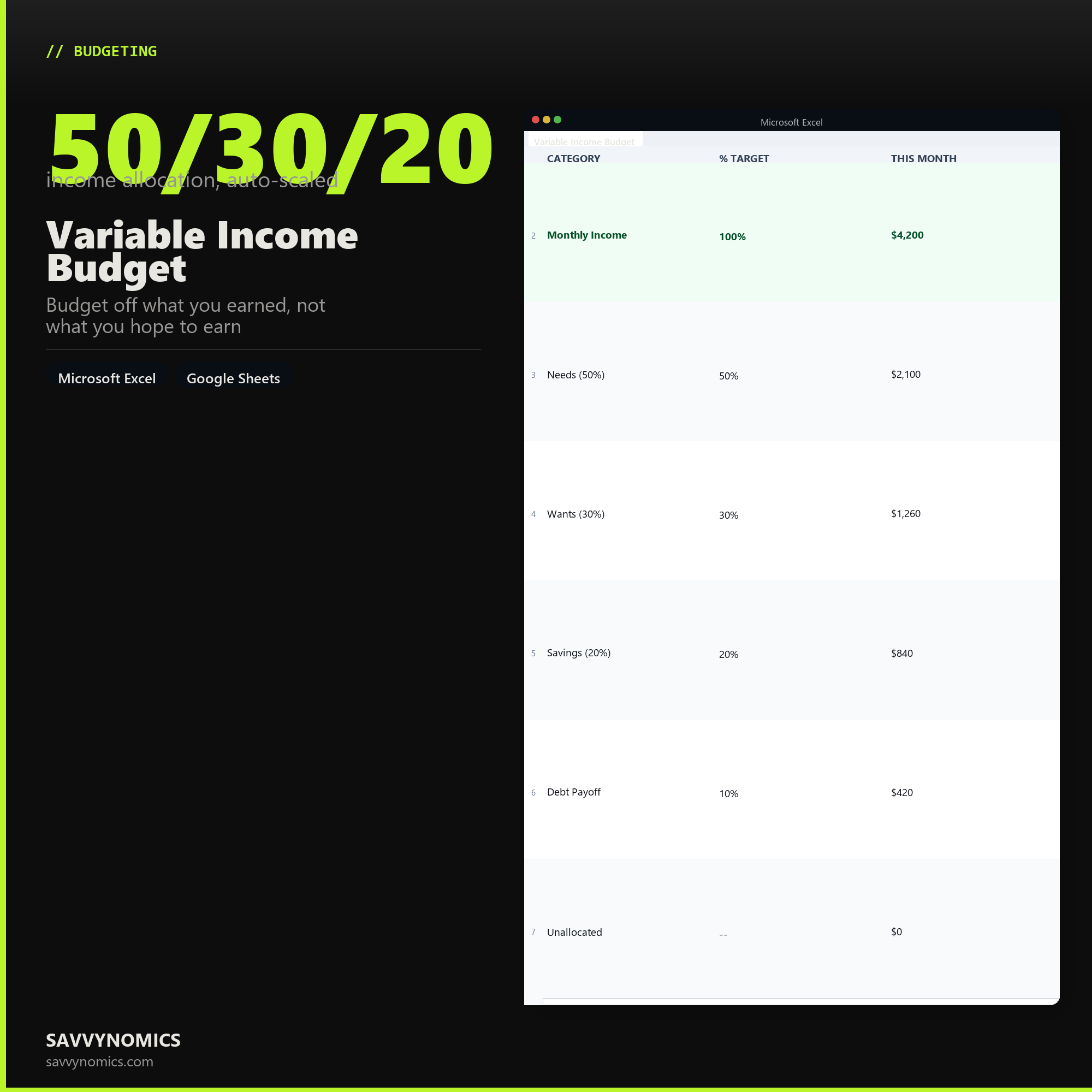
- Default split: 50% needs / 30% wants / 20% savings (fully adjustable)
- 12-month income log with actuals and a running 12-month average
- Monthly comparison: what you targeted vs. what you actually spent
- Annual income trend so you can see your strong and lean months at a glance
- A 13th column for irregular annual expenses (registration, insurance renewals)
Built for freelancers, commission-based salespeople, gig workers, contractors, seasonal workers, and anyone whose take-home isn't a fixed number.
Works in Excel and Google Sheets. To import to Google Sheets: File > Import the .xlsx file > Create new spreadsheet.
Features
What's inside
- Percentage-based allocation that scales with any income
- Adjustable split: needs, wants, savings, debt
- Monthly income log for 12 months with running average
- Actual vs. target comparison each month
- Annual income trend chart to spot lean months
- Works in Excel 2016+ and Google Sheets
Inside the template
Sample data
Real numbers showing what the spreadsheet looks like once you enter your information.
| CATEGORY | % TARGET | THIS MONTH |
|---|---|---|
| Monthly Income | 100% | $4,200 |
| Needs (50%) | 50% | $2,100 |
| Wants (30%) | 30% | $1,260 |
| Savings (20%) | 20% | $840 |
| Debt Payoff | 10% | $420 |
| Unallocated | -- | $0 |
Ready to start
Variable Income Budget
All sales are final, since the file arrives the moment you pay. If it will not open or does not match this page, tell us and we will make it right. Full terms.
Instant download after purchase. Works in Excel and Google Sheets. No macros, no subscription, no setup beyond entering your numbers.
Microsoft Excel 2016+ Google Sheets
Common questions
FAQ
How many months of income history do I need before this is useful?
Three is enough to start and twelve makes it accurate. The sheet budgets off your lowest recent month rather than your average, so with only two or three data points it will be conservative, which is the safe direction to be wrong in. As you add months the floor it plans against gets more honest.
What do I do in a month with no income at all?
Enter zero. The sheet is built to expect it, and a zero month pulls down the baseline it plans against, which is the behaviour you want. The buffer column exists for exactly this: months above the baseline fund the months below it, and the tracker shows how many zero months your current buffer survives.
Does it handle income from more than one source?
Yes. Each income source gets its own row so you can see which client, platform, or job is actually carrying the year. That breakdown matters more than the total when one source is volatile and another is steady, because the steady one is what your fixed costs should be sized against.
How do I get the files after buying?
Stripe takes the payment and the download link is emailed within a few seconds, no account needed. The link lasts 30 days and allows 10 downloads. Lost it? Send yourself a fresh one.
Refunds, file formats, Google Sheets, and customizing the template are covered on the templates page.